| Functions |
Print, copy, scan, wireless |
| Print speed black (ISO) |
Up to 7.5 ppm |
| Print speed black (draft, A4) |
Up to 20 ppm |
| Print speed black (ISO, A4) |
Up to 8.5 ppm |
| Print speed color (ISO) |
Up to 5.5 ppm |
| Print speed color (draft, A4) |
Up to 16 ppm |
| First page out black (A4, ready) |
As fast as 15 sec |
| First page out color (A4, ready) |
As fast as 19 sec |
| Duplex printing |
Manual (driver support provided) |
| Duty cycle (monthly, letter) |
Up to 1000 pagesUp to 1000 pages |
| Duty cycle (monthly, A4) |
Up to 1000 pages |
| Recommended monthly page volume |
50 to 100 |
| Print quality black (best) |
Up to 1200 x 1200 rendered dpi |
| Print quality color (best) |
Up to 4800 x 1200 optimized dpi color (when printing from a computer on selected HP photo papers and 1200 input dpi) |
| Print languages |
HP PCL 3 GUI; HP PCLm (HP Apps/UPD); URF (AirPrint) |
| Print technology |
HP Thermal Inkjet |
| Connectivity, standard |
1 Wi-Fi 802.11b/g/n; 1 Hi-Speed USB 2.0 (device) |
| Mobile printing capability |
Apple AirPrint; Mopria Print Service; Chrome OS; HP app |
| Network capabilities |
Yes, built-in Wi-Fi 802.11b/g/n, 2.4 GHz single-band only |
| Wireless capability |
Yes, built-in Wi-Fi 802.11b/g/n, 2.4 GHz single-band only |
| Wireless technologies |
802.11b/g/n |
| Minimum System Requirements for Macintosh |
macOS V10.14 Mojave, macOS 10.15 Catalina, macOS 11 Big Sur, macOS 12 Monterey, macOS 13 Ventura; 2 GB HD; Internet required |
| Minimum System Requirements |
Windows 10, 11, : 1 GHz 32-bit (x86) or 64-bit (x64) processor, 2 GB available hard disk space, Internet connection, Internet Explorer. |
| Digital sending standard features |
No |
| Display |
Icon LCD display |
| Processor speed |
1.0 GHz |
| Maximum Memory |
64 MB DDR1; 24 MB flash
|
| Memory |
64 MB DDR1 |
| Internal Storage |
No |
| Compatible Operating Systems |
Windows 11; Windows 10; macOS 10.14 Mojave; macOS 10.15 Catalina; macOS 11 Big Sur; macOS 12 Monterey; macOS 13 Ventura; Chrome OS; macOS 14 Sonoma |
| Paper handling input, standard |
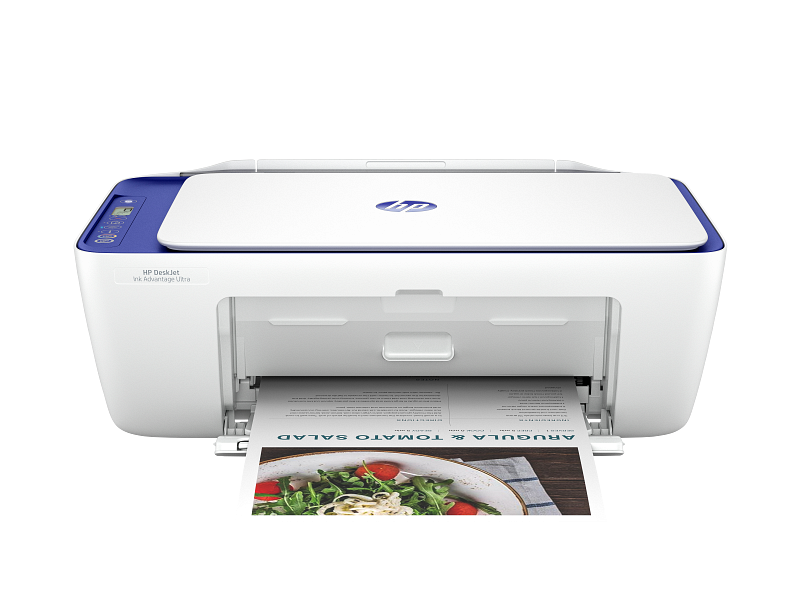
60-sheet input tray |
| Paper handling output, standard |
25-sheet output tray |
| Paper handling input, optional |
Not Applicable |
| Paper handling output, optional |
Not Applicable |
| Finished output handling |
Sheetfed |
| Media types |
Plain paper, photo paper, brochure paper, envelopes and other specialty inkjet papers |
| Media sizes supported |
A4; B5; A6; DL envelope |
| Media sizes, custom |
76 x 127 to 215 x 355 mm |
| Borderless printing |
No |
| Media weight, recommended |
75 g/m² |
| Scanner type |
Flatbed; ADF |
| Scan file format |
JPEG, TIFF, PDF, BMP, PNG |
| Scan resolution, optical |
Up to 1200 dpi |
| Scan size (ADF), maximum |
215.9×355.6mm |
| Scan size, maximum |
216 x 297 mm |
| Scan technology |
Contact Image Sensor (CIS) |
| Copy speed black (ISO) |
Up to 6 cpm |
| Copy speed color (ISO) |
Up to 3 cpm |
| Copy resolution (black text) |
Up to 300 x 300 dpi |
| Copy resolution (color text and graphics) |
Up to 300 x 300 dpi |
| Copy resolution (black graphics) |
Up to 300 x 300 dpi |
| Copies, maximum |
Up to 9 copies |
| Copy reduce / enlarge settings |
Via HP app |
| Power consumption |
2.8 W (ready), 1.53 W (sleep), 0.3 W (auto-off), 0.3 W (off). |
| Power |
Input voltage: 100 to 240 VAC (+/- 10%), 50/60 Hz (+/- 3 Hz), 350 mA. India iput voltage: 200 to 240 VAC (+/- 10%), 50/60 Hz (+/- 3 Hz), 350 mA. |
| Operating humidity range |
15 to 80% RH (non-condensing) |
| Recommended operating humidity range |
20 to 80% RH (non-condensing) |
| Non-Operating Humidity Range |
5 to 90% RH (non-condensing) |
| Operating temperature range |
5 to 40°C |
| Operating temperature range |
41 to 104°F |
| Safety |
IEC 60950-1:2005 +A1:2009 +A2:2013, IEC 62368-1:2014, IEC 62368-1:2018, EN IEC 62368-1:2020 +A11:2020, EN 62311:2008, EN 50663:2017, EN 50665:2017 |
| Dimensions (W x D x H) |
425 x 304 x 154 mm |
| Maximum dimensions (W x D x H) |
425 x 546 x 250 mm Output Extension full out |
| Weight |
3.42 kg |
| Product color |
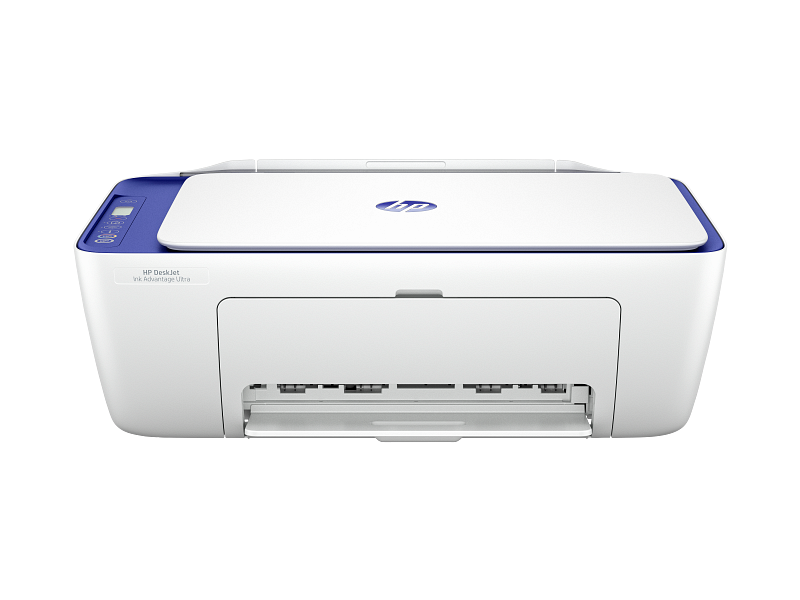
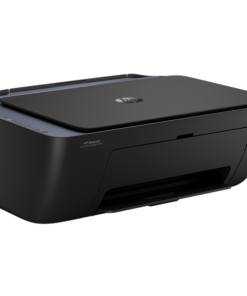
Moroccan Blue |
| What’s in the box |
HP DeskJet IA Ultra 4927 All-in-One Printer; HP 47 Setup Black Cartridge Qty 2; HP 47 Setup Tri-Color Cartridge Qty 2; Regulatory flyer; Setup guide; Reference guide; Power cord [For ink volume and page yield information, visit http://hp.com/go/learnaboutsupplies] |
| Print Cartridges/Bottle, Number |
2 (1 each black, tri-color) |
| Replacement cartridges |
HP 47 Original Black Ultra Ink Advantage Cartridge (~1,300 pages yield) 6ZD21A; HP 47 Original Tri-Color Ultra Ink Advantage Cartridge (~700 pages yield) 6ZD61A. Actual yield varies considerably based on content of printed pages and other factors |


Reviews
There are no reviews yet.